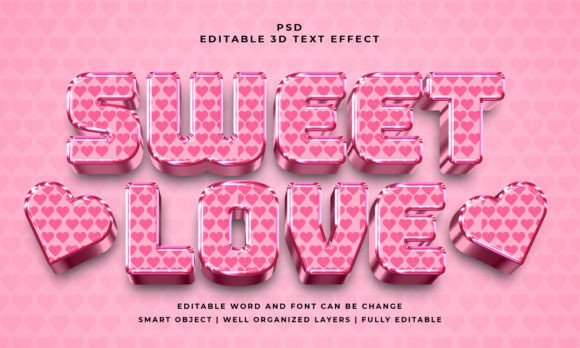
Sweet Love 3D PSD Editable Text Effect
Design projects often demand a quick yet polished visual element that instantly communicates emotion. The Sweet Love 3D PSD Editable Text Effect offers exactly that—a ready-to-use template with a romantic, dimensional style that saves hours of manual work. Instead of building a 3D text effect from scratch, you can open the PSD file, edit the text in a smart object, and apply the style to vector shapes or any shape. This makes it a practical tool for a wide range of creators, from beginners exploring graphic design to professionals producing branded content.
What Is Sweet Love 3D PSD Editable Text Effect?
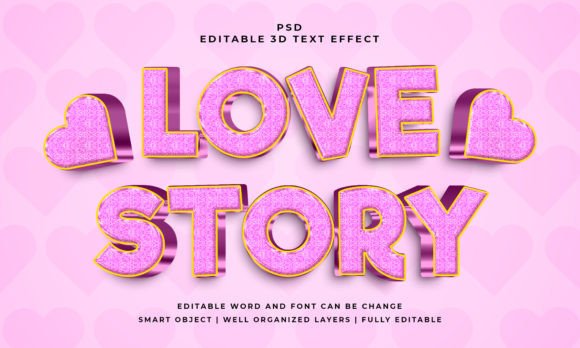
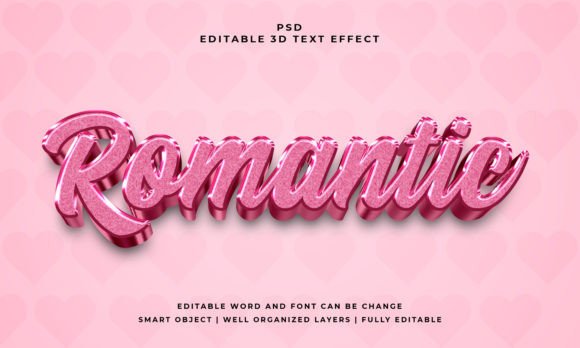
This is a layered Photoshop file designed to give text or shapes a three-dimensional, love-themed appearance. The file comes with a 2000×1200 pixel canvas, RGB color mode, and includes a JPEG preview for quick reference. The core feature is the smart object: you simply double-click the layer, replace the placeholder text with your own, save, and the effect updates instantly. It works equally well with vector shapes, logos, or any kind of shape, offering flexibility beyond plain text. The layers are well-organized and named, so even someone with basic Photoshop skills can navigate the file without confusion. The text is 100% editable, and you can use any font installed on your system—the effect is not tied to a specific typeface.
Graphic Designers and Freelancers
For designers juggling multiple client projects, speed matters. The Sweet Love 3D PSD Editable Text Effect eliminates the need to build 3D layers from scratch, apply bevels, adjust lighting, or fine-tune shading. Instead, you get a consistent, high-quality result in seconds. A freelance designer working on Valentine’s Day marketing materials, wedding invitations, or romantic greeting cards can reuse the template, change the text to match different clients, and deliver professional work faster. The editable smart object also means you can tweak the baseline text shape without destroying the effect—ideal for iterating on client feedback.
Small Business Owners and Entrepreneurs
Many small businesses handle their own social media graphics, flyers, and promotional images. Without a dedicated designer, achieving a polished 3D effect can be frustrating. This PSD file lowers the barrier: you just need basic knowledge of opening and saving a file. A bakery owner promoting a “Sweet Love” cupcake special, a florist advertising a Valentine’s arrangement, or a boutique running a romantic-themed sale can insert their offer text directly. The 2000×1200 resolution is suitable for social posts, small prints, or website headers. The organized layers also let you adjust background colors or shadows to align with brand guidelines, offering a balance of quality and control.
Educators and Hobbyists
Teachers and workshop facilitators often need visual examples to explain concepts like layer styles, smart objects, or 3D rendering. The Sweet Love 3D PSD Editable Text Effect serves as a clear demonstration of how a smart object can separate content from style. A teacher in a digital design class can show students how editing the smart object updates multiple compositions—or contrast the editable file with a static image. Hobbyists, on the other hand, might use it for personal projects like party banners, photo albums, or custom gifts for a partner or friend. The “easy to edit” promise is genuine: even if you have never used smart objects before, a quick online tutorial (or the included JPEG preview) gets you started.
Key Features That Matter Across Skill Levels
Understanding the specific features helps you decide if this file matches your workflow.
- Easy to edit – The smart object workflow means no complex selections or layer manipulation. Double-click, edit, save. This is especially important for beginners who may not understand layer masks or blending options. For advanced users, the well-organized layers allow deeper customization—you can change the lighting angle, adjust the bevel depth, or replace the background without affecting the text effect.
- Well-organized layers – Layers are named and grouped. You can quickly find the text layer, shadow group, color overlay, or background. This saves time and reduces errors. If you are a professional managing a multi-file project, consistent organization is a reliability factor.
- 100% editable text and font – The effect does not rasterize or flatten the text. You can change the wording, font family, size, and even tracking after editing the smart object. This is critical for business owners who may need to reuse the same style for different product names. As long as you have the font installed, you can use any typeface—script, serif, sans-serif, or decorative.
- RGB color and 2000×1200 pixel size – RGB ensures the file is optimized for screen use (social media, websites, presentations). The 2000×1200 canvas gives enough resolution for most digital applications and even some light print uses (like postcards at 300 DPI, the image would be roughly 6.7×4 inches). If you need a print-ready CMYK version, you would convert the file, but for the vast majority of web-based content, RGB is perfect.
- Included files – You get the PSD and a JPEG preview. The preview helps you see the effect before opening Photoshop—useful for clients or non-designers who need to approve the style. The PSD itself is the working file.
Who Should Consider This Text Effect?
To decide if the Sweet Love 3D PSD Editable Text Effect is right for you, consider your project type, timeline, and comfort with Photoshop.
- Beginners may prioritize ease of use and immediate results. If you have a short deadline and want a professional look without learning advanced 3D skills, this file is a strong fit. The risk of breaking the effect is low if you only edit the smart object content.
- Intermediate users might value flexibility. You can push the template further by modifying layer styles, experimenting with gradients, or combining the text effect with other assets. The well-organized structure makes it easy to learn from or adapt.
- Professionals should evaluate speed and consistency. If you produce multiple versions of similar content (e.g., event titles, sale banners), the ability to swap text in a smart object accelerates your pipeline. The effect’s quality holds up at typical social media sizes.
- Non-designers (bloggers, educators, small business owners) who only need occasional graphics will find the steep learning curve avoided. The included preview reduces guesswork, and the instructions are minimal because the smart object handles the complexity.
On the other hand, if you require ultra-realistic 3D rendering with custom global illumination, or if you need the effect to adapt dynamically to complex shaped paths, a pre-built PSD may feel limiting. But for the vast majority of love-related themes, romantic events, and sweet promotional text, this file delivers a balanced solution.
Practical Tips for Getting the Most Out of It
- For beginners – Open the PSD, locate the smart object layer (usually named “Edit me” or similar), double-click the thumbnail, and a new window opens. Use the Type tool to select the current text, replace it with your own, change the font if desired, then press Ctrl+S (Cmd+S on Mac) to save and close. The 3D effect updates automatically. Always duplicate the original file before editing if you want a clean backup.
- For designers – Consider adding a subtle drop shadow behind the text to create separation from busy backgrounds. You can also adjust the color overlay layer to tint the 3D effect to match a specific brand palette. Because the layers are separate, you can even apply a gradient map over the whole group for a different mood.
- For business owners – Keep a master PSD file with your brand colors pre-set. Then each time you need a new graphic, open the master, duplicate it, change the text, and export. This creates a consistent visual style across all campaign materials without reinventing the process each time.
- For educators – Show students how editing the smart object does not affect the layer styles applied to it. You can then demonstrate replacing the text with a vector shape to show the same effect applied to a logo. This illustrates the power of smart objects in a non-destructive workflow.
Long-Term Value and Versatility
The Sweet Love 3D PSD Editable Text Effect is not a one-off resource. Because it works with any font and any shape, you can reuse it across different projects over months or years. The effect itself is romantic and sweet, but you can also adapt it for related themes like gratitude, friendship, or kindness by changing the color palette. For example, pink gradients paired with a script font say “love,” while gold tones with a serif font could suit an anniversary or premium event. The 2000×1200 canvas also allows for cropping to different aspect ratios (square for Instagram, 16:9 for YouTube thumbnails) while keeping the text readable. The initial investment of time—just understanding how smart objects work—pays off each time you need a quick 3D text effect. Whether you are a seasoned designer building a client library, a teacher planning a curriculum, or a small business owner refreshing social media banners, this PSD provides a reliable foundation that grows with your skills.