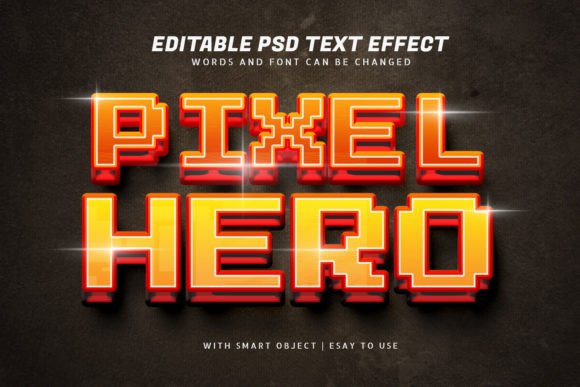
Super Pixel Hero 3D Style Text Effect: A Practical Review of Design Flexibility
Typography remains one of the most expressive tools in visual communication. When you need text that stands out with depth and retro-modern energy, few resources deliver as effectively as the Super Pixel Hero 3D Style Text Effect. This PSD template offers a complete system for creating pixel-inspired three-dimensional lettering, and it does so with a level of convenience that designers rarely encounter—especially when dealing with effects this detailed. Instead of building a 3D pixel effect from scratch, you open a layered PSD file, edit the smart object, and let the template handle the rendering. That simplicity matters, both for speed and for consistency across a project.
This article evaluates the Super Pixel Hero 3D Style Text Effect from a practical standpoint. I will walk through what it offers, how it performs in real workflows, who benefits most from using it, and where its limitations may surface. Whether you are a freelancer producing social media assets, a small business owner crafting a brand identity, or an educator looking for engaging presentation titles, this review will help you decide whether this text effect belongs in your toolkit.
What Super Pixel Hero 3D Style Text Effect Actually Delivers
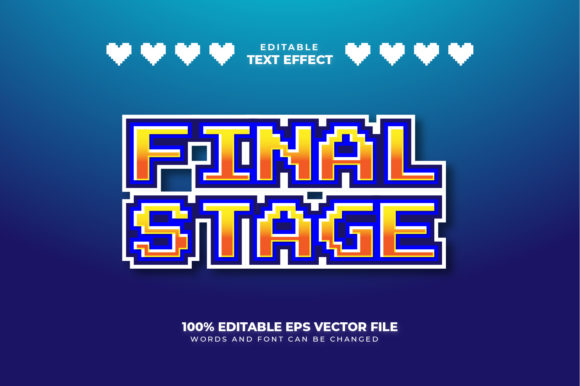
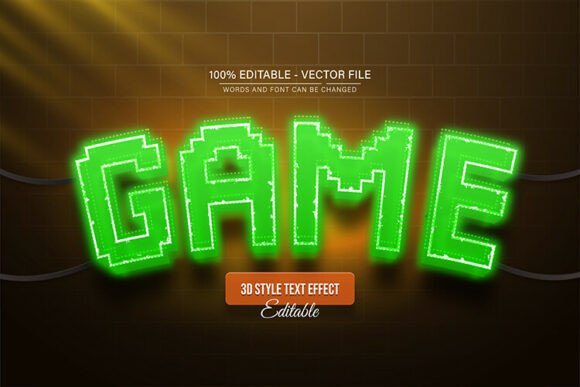
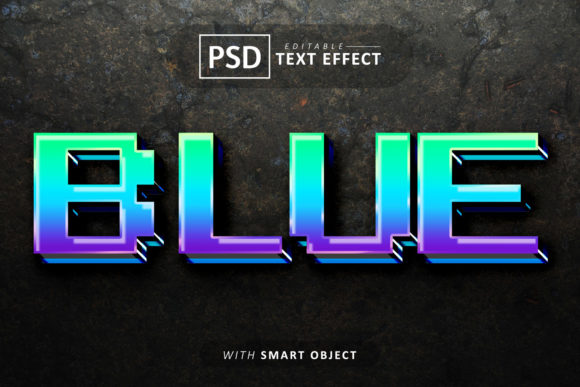
The name gives a strong hint about the aesthetic. Super Pixel Hero 3D Style Text Effect produces lettering that looks like three-dimensional pixel art, reminiscent of classic arcade games and retro digital signage. However, the execution is far cleaner and more polished than anything you could achieve with simple pixel grids or manual shading. The template relies on properly organized layer structures and smart objects, so each character gains realistic depth, highlights, and shadow contours without breaking the pixel-style facade.
The package includes a PSD file and a JPEG preview. Inside the PSD, you will find 100 editable text effects. That means one hundred variations of the core effect—different color schemes, outlines, highlights, and shadow placements—all fully editable. You are not locked into one look. If you need a cyan-on-dark palette for a gaming channel thumbnail and a neon-pink variant for a music festival poster, the template has you covered. And because each effect is a smart object, you double-click the layer, paste your own text or logo, adjust the font to your preference, and the layers update automatically.
One feature worth emphasizing is the ability to resize objects without quality loss. The smart objects maintain vector-level scaling, so whether you place the text on a business card or a billboard mockup, the pixel effect remains sharp. The layers are also named and grouped logically, which reduces the learning curve. Even if you have not used layer-heavy PSD files before, you can locate the right adjustment layer or style within seconds.
Consistency Across Multiple Assets
When you manage a brand or a series of content, visual consistency is non-negotiable. The Super Pixel Hero 3D Style Text Effect helps you maintain a unified look because you start from the same set of layer styles and smart objects. You can create a heading for a YouTube intro, a lower-third title, and an Instagram story graphic, all using the same pixel 3D effect, with the same depth, the same color palette, and the same highlight intensity. The result is a cohesive presentation that feels intentional rather than pieced together.
Editable Fonts Without Rebuilding the Effect
Most 3D text effects require you either to render the effect on a specific font or to rebuild the shader manually if you want a different typeface. This template eliminates that problem. Because the effect is applied through layer styles and smart objects, you can swap the font freely. You are not restricted to a selection of pre-rendered letters. Want to use a custom typeface you licensed for a client project? Go ahead. The layer styles adapt to the new font’s proportions. This flexibility is rare among pixel-art style effects and makes the template suitable for character-heavy languages or logo wordmarks where the shape of each letter matters.
Professional Depth and Lighting
The 3D effect does not rely solely on drop shadows. It uses multiple shading layers to create the illusion of extruded blocks. There are highlight layers for the top faces, mid-tone layers for the front faces, and deeper shadow layers for the side extrusions. The result looks robust enough for print and digital use alike. In my own testing, the effect holds up well at 300 DPI for print applications and remains readable at small sizes on mobile screens—something many 3D text effects fail to deliver.
Real-World Use Cases and Audience Fit
This template is not a one-size-fits-all solution, but its strengths align well with several common professional scenarios.
- Content creators and streamers: The pixel 3D style fits gaming, tech, and entertainment channels perfectly. You can create thumbnails, overlay titles, and banner text that look custom-coded rather than templated.
- Small business owners and entrepreneurs: If you run a retro-themed brand, a gaming café, or a creative studio, this effect adds personality to signage, menus, and social media assets without requiring a designer retainer.
- Freelance designers: Having 100 presets at your disposal means you can offer clients multiple stylistic options quickly. You can present five different color variations of the same pixel effect in a single round of revisions, saving hours of work.
- Marketers and publishers: For event announcements, product launches, or editorial headlines, the pixel 3D style catches attention without looking gimmicky—especially when balanced with clean typography and solid layouts.
- Educators and trainers: Lesson slides, course titles, and digital badges benefit from visual hierarchy. A consistent 3D pixel effect can mark section headings in a course or create a recognizable theme across learning materials.
Usability and Workflow Integration
Adapting the Super Pixel Hero 3D Style Text Effect to an existing workflow takes minimal effort. The PSD file opens in any recent version of Adobe Photoshop. If you use other image editing software, verify that it supports smart objects and layer styles. Most professional tools do, but check compatibility beforehand if your pipeline relies on Affinity Photo or Corel PaintShop Pro.
Editing the text is straightforward. Locate the smart object layer labeled with the effect you want to use. Double-click the thumbnail, which opens a new window. In that window, you will see placeholder text. Replace it with your own content. Change the font, size, and color using the Photoshop text tools. Save the smart object, and the main document updates instantly. The 3D depth, highlights, and shadows recalculate based on your new text, preserving the same look across different characters and lengths.
If you want to adjust the effect itself—for example, to reduce the extrusion depth or tweak the highlight color—you can modify the layer styles directly. The layers are grouped into folders with descriptive names like "Front Face," "Extrusion," "Highlight," and "Shadow." You can also duplicate the group and create your own hybrid effect by combining elements from different presets. This modularity turns the template into a starting point rather than a final product, which is especially valuable for designers who need to match a specific brand palette.
Quality and Long-Term Value
At the price point of a typical design resource, the Super Pixel Hero 3D Style Text Effect offers substantial long-term value. The 100 presets cover a wide spectrum of color harmony and lighting intensity. Some presets use pastel shades for a softer, more friendly appearance, while others rely on high-contrast neons that pop against dark backgrounds. Because you can modify fonts and resize without quality loss, the template does not become obsolete when design trends shift. If next season’s trend leans toward warmer tones, you can repurpose a preset that uses orange and yellow extrusions. The effect style itself—3D pixel art—has stayed relevant for decades and shows no sign of fading.
Quality-wise, the pixel edges are clean without visible anti-aliasing artifacts. The extrusion shadows use smooth gradients, so the pixel blocks look solid rather than jagged. The only potential quality concern arises if you apply the effect to very thin or very condensed fonts. In those cases, the extrusion may appear thinner relative to the face, reducing the readability of the 3D depth. Testing a few different typefaces before committing to a design is advisable.
Possible Limitations to Consider
No resource is perfect, and the Super Pixel Hero 3D Style Text Effect has a few caveats worth mentioning.
- Photoshop dependency: The smart objects and layer styles rely on Photoshop. If you work exclusively with web-based design tools or non-Adobe software, you will lose some editing capabilities. You can still open the flat JPEG preview, but the editable layers require the PSD.
- Learning curve for beginners: While the template is easy to use for anyone familiar with layers, a complete beginner might need to watch a short tutorial on smart object editing. The process is not complicated, but it is not entirely intuitive for someone who has never used Photoshop.
- Limited to display use: This is a display effect, not a body text style. It works wonderfully for headlines, logos, and short phrases. Using it for long paragraphs would reduce readability and overwhelm the composition.
- Font licensing separate: The template includes the effects, not the fonts. You provide your own typeface. While that gives you freedom, it also means you must ensure your chosen font’s license covers your intended use, whether commercial or personal.
Final Assessment: Does Super Pixel Hero 3D Style Text Effect Fit Your Needs?
The Super Pixel Hero 3D Style Text Effect succeeds because it balances visual impact with practical convenience. You get a polished, retro-styled 3D pixel effect without spending hours building extrusion layers, matching shadow colors, or masking highlights. The 100 presets give you room to experiment and match diverse project tones. The smart object workflow ensures that once you learn the editing pattern, you can produce consistent results in minutes.
If your work benefits from bold, characterful typography—whether for gaming content, brand identities, educational materials, or event graphics—this template saves time while raising the visual floor of your projects. If you need a sober, minimal, or corporate type treatment, this is likely not the right tool. But for those who serve audiences that appreciate color, depth, and a nod to pixel culture, the Super Pixel Hero 3D Style Text Effect earns its place in the resource library.