Pixel Style Text Effects in Vector Design: A Complete Guide
In the ever-evolving world of graphic design, certain styles never truly fade—they evolve, get remixed, and find new relevance. One such enduring aesthetic is the pixel style text effect. Whether you are designing a retro gaming poster, a modern digital brand identity, or an eye-catching social media graphic, pixel-inspired typography brings a unique blend of nostalgia and contemporary flair. This article explores everything you need to know about pixel style text effects, particularly how fully editable vector designs in formats like EPS and AI make this style accessible, scalable, and endlessly customizable.
What Is a Pixel Style Text Effect?
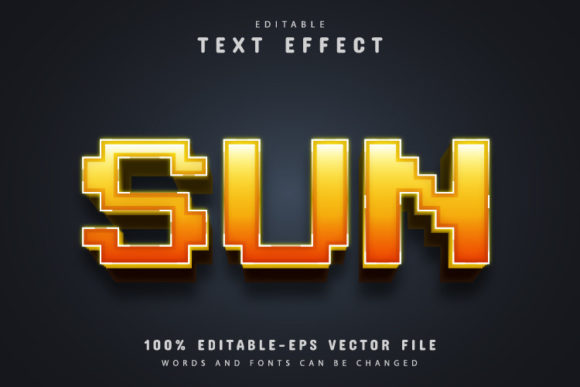
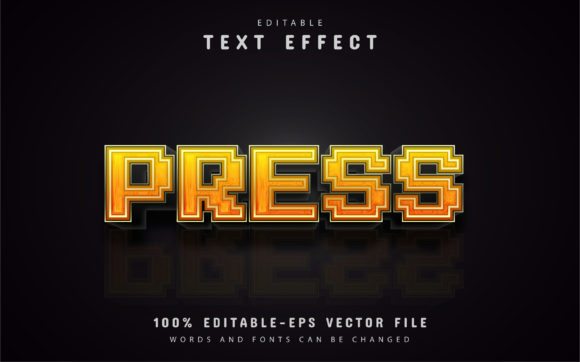
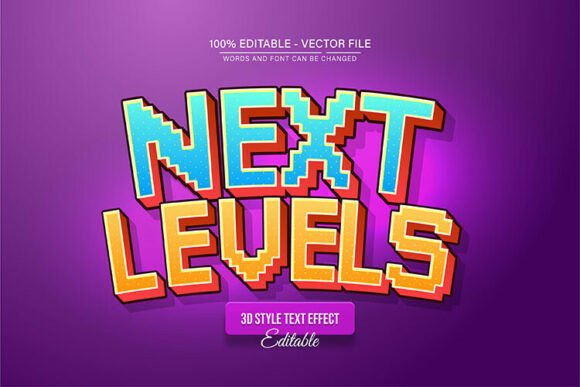
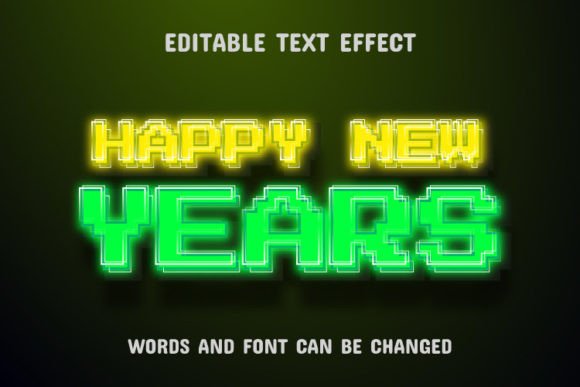
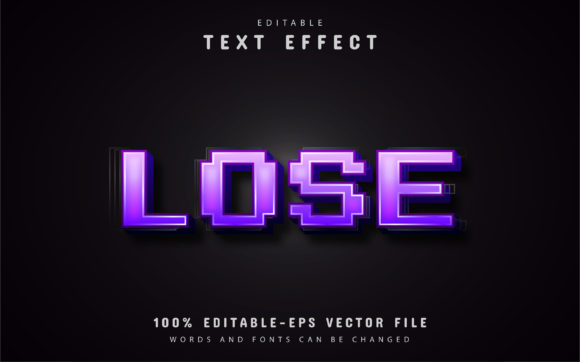
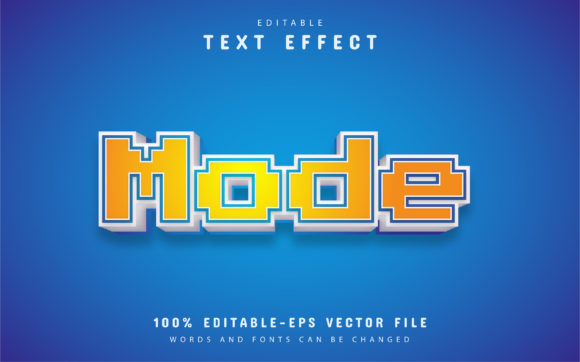
A pixel style text effect mimics the look of early digital displays, video game consoles, and classic computer interfaces. Each character appears to be built from small square blocks—pixels—recreating the chunky, grid-based typography of the 1980s and 1990s. While the original pixel fonts were constrained by low screen resolutions, modern vector-based pixel text effects offer crisp, clean edges at any size, without the blurriness or distortion that plagued early digital text.
What makes pixel style text effects so appealing is their ability to bridge two worlds: the retro charm of old-school gaming and the precision of modern vector design. Designers use them to evoke nostalgia, signal playfulness, or create a tech-forward vibe rooted in digital history. Unlike bitmap-based pixel fonts that lose quality when scaled, vector pixel effects remain sharp and editable, making them a favorite among professionals and hobbyists alike.
Why Vector Design Matters for Pixel Text Effects
Vector graphics are built from mathematical paths rather than a fixed grid of pixels. This fundamental difference gives vector-based pixel text effects a massive advantage: they are resolution-independent. You can enlarge them to billboard size or shrink them to a business card without any loss of quality. The "pixel" look is simulated using vector shapes, so each square remains perfectly sharp, regardless of scale.
When you work with a pixel style text effect in a vector format such as EPS (Encapsulated PostScript) or AI (Adobe Illustrator), you get more than just scalability. You gain full control over every element. Colors, spacing, block size, and even the shape of individual "pixels" can be edited, removed, or rearranged. This level of customization is essential for designers who need to match specific brand guidelines or creative visions.
Key Benefits of Vector Pixel Text Effects
- Infinite Scalability: Resize the text from 10 pixels to 10 meters with zero quality loss.
- Full Editability: Every letter, color, and pixel block can be individually adjusted.
- Color Flexibility: Change the entire palette or recolor single blocks to create gradients, shadows, or highlights.
- Compatibility: EPS and AI files work seamlessly across Adobe Illustrator and many other vector editing tools.
- Professional Output: Ideal for print, web, merchandise, and screen use without pixelation.
Understanding the Anatomy of a Pixel Style Vector Text Effect
Before diving into customization, it helps to understand what you are working with. A typical pixel style text effect in vector format consists of multiple layers or groups. The text itself is not a single font but a collection of small vector squares arranged to form letters. This construction allows each "pixel" to be moved, colored, or deleted independently.
Most high-quality vector templates include:
- Base text shapes: The main letterforms built from pixel blocks.
- Shadow or outline layers: Extra pixel layers that create depth, often in darker or lighter colors.
- Highlight effects: Bright pixels placed to simulate light or glow.
- Background elements: Optional grid patterns or decorative blocks that reinforce the pixel aesthetic.
Because the design is fully vector, you can also change the text itself. Instead of being stuck with a pre-rendered word, you select the group, press "T" on your keyboard, and type new letters. The pixel effect automatically adapts to your new text—provided the template is built with editable text layers. This is one of the most powerful features of modern pixel style vector assets.
How to Edit a Pixel Style Text Effect in Adobe Illustrator
Editing a pixel style text effect in Adobe Illustrator is straightforward, even for beginners. Most templates come with clear layer names and instructions. Here is a step-by-step guide to get you started.
Step 1: Open the File
Launch Adobe Illustrator (CS or higher) and open your EPS or AI file. The file will likely contain multiple artboards or layers. Make sure the Layers panel is visible (Window > Layers) so you can see the structure.
Step 2: Select the Text
Press the Selection Tool (V) and click on the pixel text you want to edit. If the text is grouped, you may need to double-click to isolate it. Alternatively, use the Direct Selection Tool (A) to select individual pixel blocks for fine-tuning.
Step 3: Change the Text Content
Press the Type Tool (T) on your keyboard, then click directly on the existing text. If the template uses live editable text, you can simply highlight the letters and type your own word or phrase. If the template uses outlined shapes, you may need to edit the pixel blocks manually. Most professional templates favor editable text for convenience.
Step 4: Customize Colors
With the text selected, use the Color panel or Swatches to change the fill and stroke. For pixel effects, you can apply a single color to the entire text or recolor individual pixel blocks for a multi-color gradient effect. Some templates include a color palette specifically designed for the pixel look.
Step 5: Adjust Size and Scale
Because the design is vector, you can use the Transform tool (Object > Transform > Scale) to enlarge or reduce the text without any degradation. Hold Shift to maintain proportions. The pixel blocks will remain crisp at any size.
Step 6: Fine-Tune Pixel Details
For advanced customization, use the Direct Selection Tool to move, add, or delete individual pixel squares. This is useful if you need to tweak letter spacing, adjust alignment, or create custom ligatures. Since every pixel is a separate vector object, the possibilities are nearly endless.
Practical Applications of Pixel Style Text Effects
Pixel style text effects are not just for retro-themed projects. They have found a home in a wide range of modern design contexts.
Branding and Logos
Tech startups, gaming companies, and creative agencies often use pixel typography to convey innovation, playfulness, or digital-native identity. A pixel logo stands out on a website, app icon, or merchandise because it feels both familiar and unique. The ability to edit colors and shapes in vector format means the logo can be adapted for different backgrounds and use cases without starting from scratch.
Social Media and Digital Marketing
Eye-catching headlines, quote cards, and promotional banners benefit from the bold, blocky appearance of pixel text. It grabs attention in crowded feeds and communicates a sense of energy and nostalgia. Because the vector file is easily resized, you can create versions for Instagram stories, YouTube thumbnails, and website headers from the same source.
Print Design and Merchandise
T-shirts, posters, stickers, and packaging all come alive with pixel text effects. The scalability of vector graphics ensures that the design looks sharp on a small sticker or a large banner. Printers appreciate vector files because they handle resolution consistently, reducing the risk of blurry text.
Game Development and UI Design
Pixel style text is a natural fit for game menus, splash screens, and user interfaces in indie games or mobile apps. Designers can use vector templates to prototype text elements quickly, then export them at any resolution needed for the game engine. The editable nature of the files also makes it easy to iterate on design feedback.
Educational and Creative Projects
Teachers, students, and hobbyists use pixel text effects for posters, presentations, and art projects. The low barrier to entry—thanks to templates that require no advanced skills—makes this style accessible to anyone with basic Illustrator knowledge. It is also a fun way to learn about vector design principles.
Common Misunderstandings About Pixel Style Text Effects
Despite their popularity, several misconceptions persist about pixel style text effects in vector format.
Myth 1: Pixel text is only for retro designs.
While pixel text has roots in retro gaming, modern designs often use it in minimalist, futuristic, or even luxury contexts. The contrast between blocky letters and sleek layouts creates a striking visual tension.
Myth 2: Vector pixel effects are hard to edit.
Actually, most templates are designed for ease of use. With labeled layers and simple instructions, even beginners can change text, colors, and sizes in minutes. The phrase "No Skill Requirement" is common in quality asset descriptions because the heavy lifting is already done.
Myth 3: You need expensive software.
Adobe Illustrator is the industry standard, but many vector editors (like Affinity Designer, Inkscape, or even web-based tools) support EPS and AI files. While some features may vary, the core editability remains intact.
Myth 4: Pixel text effects are not suitable for professional use.
On the contrary, many top brands and agencies rely on vector pixel assets for everything from ad campaigns to product packaging. The key is choosing a well-crafted template with clean geometry and organized layers.
Tips for Choosing and Using a Pixel Style Text Effect Template
If you are looking to add pixel style text effects to your toolkit, keep these considerations in mind.
- Check file formats: Look for EPS and AI files that are fully editable. Some templates also include JPG previews for quick reference.
- Verify text editability: Ensure the template uses live editable text rather than outlined shapes, unless you want to redraw each letter manually.
- Review color options: The best templates offer unlimited color variations, meaning you can change the palette freely without breaking the design.
- Look for font info: Some templates use free fonts for the base text, which are easy to install and modify.
- Test scalability: A good vector template should look identical at 10% and 1000% size. If you see any distortion, the file may not be truly vector.
Why "Fully Editable Vector Design" Matters
The phrase "This is a fully editable vector design" is not just marketing language—it is a promise of creative freedom. When you work with a pixel style text effect that is fully vector, you are not limited by pre-set colors, sizes, or text strings. You can adapt the design to any project, any brand, any message. The quality never decreases because the math behind the shapes remains constant.
For designers who value efficiency, this means no more rebuilding effects from scratch. For beginners, it means professional results without steep learning curves. For businesses, it means consistent branding across every touchpoint. In a world where visual content is consumed across countless devices and formats, vector-based pixel text effects offer a rare combination of flexibility and reliability.
Bringing Pixel Style into Your Next Project
Whether you are designing a gaming conference poster, a retro-themed café menu, or a modern tech startup logo, pixel style text effects can elevate your work with a distinctive visual voice. The key is to choose a well-built vector template that gives you complete control over every detail. With the ability to enlarge, reduce, recolor, and retext without quality loss, your creative options are truly unlimited.
Start by exploring templates that include both EPS and JPG formats, so you have a preview and a working file. Look for assets that clearly state "Text is fully editable" and "Unlimited Color Variations." Download the free fonts if provided, open the file in Illustrator, press "T" on your keyboard, and make it your own. You might be surprised at how quickly a few pixel blocks can transform your design into something memorable.
Final Thoughts
Pixel style text effects are more than a trend—they are a versatile design tool that connects digital history with modern creativity. By understanding how vector-based templates work, what makes them editable, and how to apply them across different media, you can harness this style for projects that stand out. Whether you are a seasoned designer or just starting out, the combination of pixel aesthetics and vector precision is a powerful addition to your creative arsenal.
Ready to experiment? Open your vector file, change the text, play with colors, and see how a pixel style text effect can bring new energy to your next design.